
Strength training for iPhone
One set. Your full attention.
A clear plan for your next set. A lasting record of the work you put in.
Sample data
Explore Winset01Program
Understand the plan before you train.
Pick a Program from the Library, build your own, or have Winset build one for a full gym. Every Routine, Exercise and prescription is in view before you train.

02Workout
Record the set. Review the work.
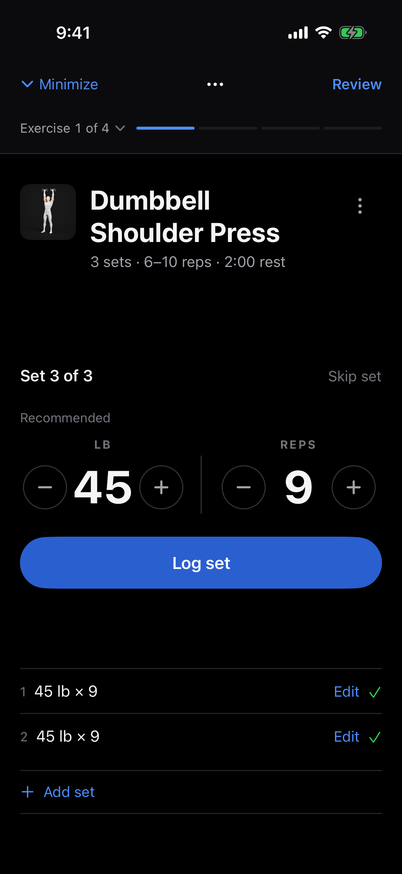
Know what’s next and record what happened. Keep the current set in focus, then review your work before you finish.
1Record
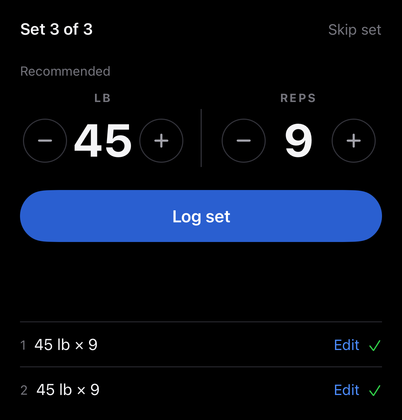
The current set opens with a recommended weight and reps you can change. Log it, and the recorded set stays in view.
2Review
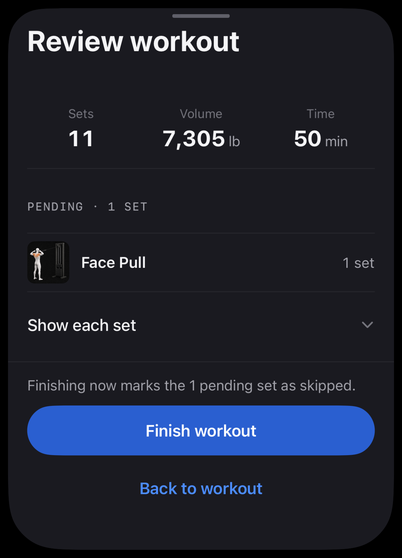
Review the work. Then make it part of your History.

03Progress
See the work add up.
Follow an Exercise’s results. See your completed training in the calendar. Return to the recorded sets behind each result.
Exercise Progress

Every result has a story.
Go back to the sets behind the result. Your completed Workout keeps its own record, even when your Program changes.
Session Detail


Consistency, one completed Workout at a time.

Made for the work
A little clarity. Every time you train.
Train without a signal.
Once you’re signed in and your training is on this iPhone, you can keep training offline. Changes upload when Winset reconnects.
Change the Exercise, not the plan.
Swap an Exercise for one Workout. Your Routine stays the same.
Keep your record.
Export your Programs, Routines and completed Workouts from Account & data.
Questions
Before you start.
What is Winset?
Winset is a strength-training app for iPhone. Choose or build a Program, record your Workouts and review your completed training.
Can I build my own Program?
Yes. Build your own lets you set up a Program, add Exercises to its Routines and review it before saving. You can make it your Current Program or save it for later.
How does Build it for me work?
Choose your Program’s settings and Winset creates its Routines for you to review and edit before saving. Build it for me currently supports Full gym only. Use Build your own for other equipment.
Can I change Exercises?
Yes. During a Workout, Swap exercise changes the Exercise for that Workout only. Your Routine stays the same, and recorded sets belong to the Exercise you performed.
How does Progress work?
Insights and Exercise Progress use results from completed Workouts. The metrics depend on the Exercise’s tracking type, and trend charts appear only when there is enough recorded history. History and Session Detail let you revisit the actual results.
Does Winset work offline?
Yes, once you are signed in and your account’s training is already available on this iPhone. You can keep training offline; changes stay on the phone until Winset reconnects. Signing in, restoring an account and loading Program Library content need a connection.
What happens to my data?
Training is saved on your phone and changes upload when your account is reachable. In Account & data, you can export Programs, Routines and completed Workouts or delete your account. Deletion needs a connection and no active Workout; exported copies stay where you saved them.
How do I get Winset?
Use the action below for Winset’s App Store download information.
Download on the App Store